Game Lobby
Everything starts on the Games page.
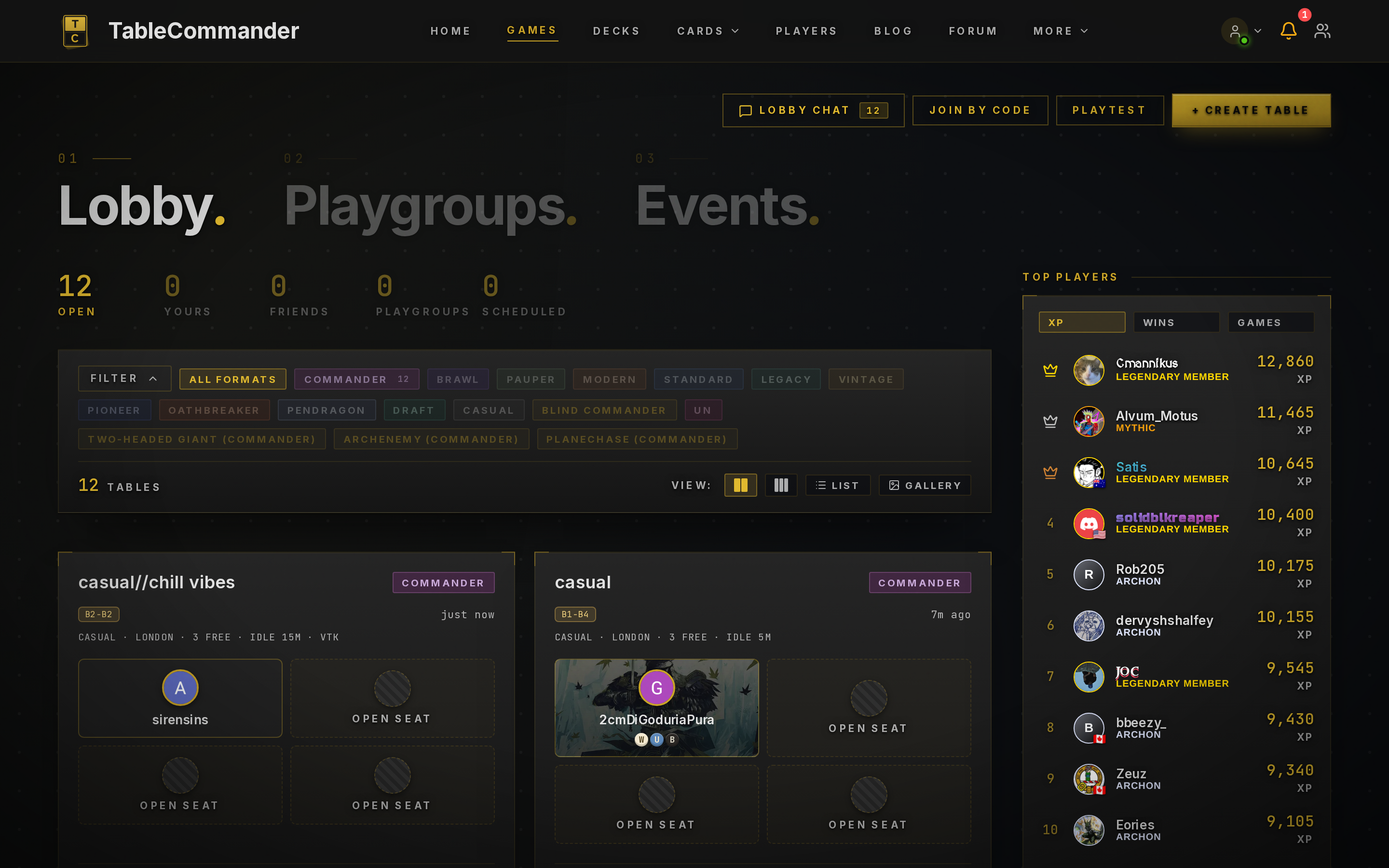
Finding a game#
The top of the page has six slices: All, Open Seats, Live, Friends, Playgroups and Scheduled. All is every table you can join or watch. Open Seats narrows that to tables still waiting for players with a free seat, and Live to games already under way, ready to spectate. Tables you're in, including scheduled games and playtests, also show in a Your Games card (beside the list on wide screens, above the slices on smaller ones) with a Rejoin button, whatever slice or filter you have on. Friends and Playgroups are tables your friends or groups have put up. Scheduled is tables with a start time in the future.
The search box finds tables by name, description, player, format or draft set. Filters opens the format pills, and the VC pills next to them narrow the list to tables whose host set voice chat as required or not wanted; your VC choice is remembered. Tables show as a compact list by default, one row each with the rules under the name and player avatars; the View buttons switch to cards, and your choice is remembered. Each card shows the table name, the host's description if they wrote one, format, game mode, mulligan rule and idle timeout, plus who's sitting where. A VC Required or No VC badge shows the host's voice chat expectation. Commander tables also show the bracket range the host is after. A table with a deck price range shows that too.
To sit down, click an Open Seat. If a game is already under way you'll see Spectate instead, which drops you in as a viewer. There's no host toggle for that. Anyone can watch a public game.
Two more things up top. Lobby Chat is a room for everyone on the page, handy for "anyone up for a 4 pod?". Playtest starts a solo game with two of your own decks, which is the fastest way to learn the controls before you sit down with people.
Joining by code#
Every table has a six character invite code. Click Join by Code, type it in, and you're at the table. This is the only way into Private tables, and the quick way into any table when a friend has sent you the code.
Hosting#
Click + Create Table. The options are covered in Your First Game. The short version: pick a format, decide who can see it, and leave the rest on defaults until you have an opinion.
The pregame lobby#
Once a table exists you're in the lobby. Each seat shows who's in it and whether they've picked a deck. Chat is open, so this is where house rules get agreed. You hold one lobby seat at a time: taking a seat at another table, or creating a new one, gives up the seat you had. If you were hosting, that table closes.
- Players click Pick a Deck, choose from their library, then Ready Up.
- The host's Start button goes live once at least two players are seated and everyone is ready.
- Empty seats have an Invite button that sends a notification to a friend, and Move Here if you'd rather sit somewhere else.
- The host can Kick someone from a seat and Shuffle seats to randomise turn order. In team formats that button becomes Random teams.
- If the host wanders off, another seated player can claim host and start the game.
Lobbies that never fill close themselves after a while, so nothing hangs about in the list forever.
When someone drops#
Connections fail. The game is built around that.
Reconnecting. If a player loses connection, their seat shows a five minute countdown. Their turns are passed automatically while they're gone. If they come back inside the window, they carry on as if nothing happened.
After the grace period. Their badge changes to "Disconnected (Auto-passing)" and the other players can vote to remove them. The game continues without them.
Idle players. Separately from disconnects, tables have an idle timeout, set when the table is created. Public tables always have one: 3, 5, 10 or 15 minutes, 5 by default; friends, private and playgroup tables default to 15 and can turn it off or go up to an hour. Someone who hasn't acted in that long gets flagged and can be removed the same way.
Draw votes. A proposed draw waits on every living player, and nothing else can happen while it's open. Anyone who hasn't answered by the idle timeout counts as accepting, so one player walking off mid-vote can't leave the rest frozen. The overlay shows the countdown.
Vote to kick#
Vote to Kick is on by default and always on for public tables; hosts of other tables can turn it off. This is for the rare case of someone who is connected and taking turns but ruining the game. It's deliberately hard to abuse:
- Any player can call a vote on any other player.
- Every other player still in the game has to agree. One no and it fails.
- It needs at least three players still alive, the vote lasts 90 seconds, and there's a ten minute cooldown between votes.
- Every vote, pass or fail, is logged and visible to staff.
To call one, press the gavel button in the game sidebar, next to the concede flag and the draw handshake. Pick the player, give a reason, and press Remove. The gavel is always there but greyed out when a vote can't be called; hover it to see why (the table has the setting off, fewer than three players are still alive, a vote is already running, and so on).
It's off by default. If you're playing with strangers and want a safety valve, turn it on when you create the table.
Next steps#
- The playmat, what's on screen once the game starts
- Game controls, moving cards and using the sidebar